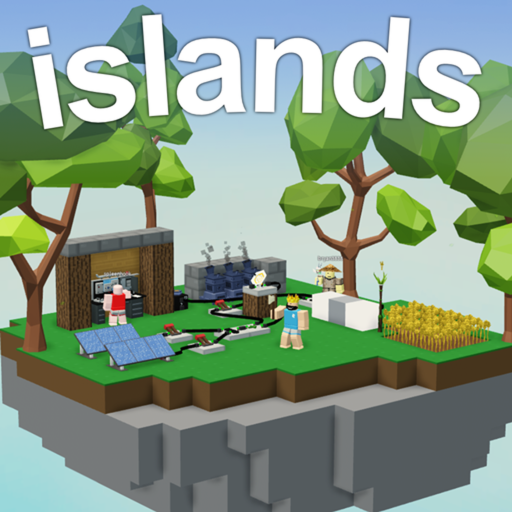
Genre
Sandbox
Creator
Easy.gg
Active players
917
Visits
2,351,411,516
Favorites
3,406,344
Max players
20
Start here
What to do first in Islands
Start with the current game facts, then choose one practical route for rewards, progression, or updates.
Source-listed codes still need an in-game check unless the page explicitly shows stronger evidence.
Game facts were last synced Jul 20, 2026; written notes show their own reviewed date.
Islands essentials
How Islands actually works
Skyblock-style sandbox: farm, mine, craft, and trade your way from a bare island to a full economy.
Islands (Skyblock) starts you on a small floating island and lets you expand it by farming crops, breeding/processing resources, crafting machines, and selling goods for coins. A big part of the game is the player economy — buying and selling materials and rare items at the hub. Progress is a steady loop of automate, sell, reinvest. Codes are uncommon; most value comes from efficient production and smart trading.
Do this first
- Set up a renewable income crop or resource early, then automate it.
- Learn hub buy/sell prices before trading rare items.
- Reinvest coins into machines and totems that raise output.
- Expand storage before scaling production so you don't bottleneck.
Common mistakes to avoid
- Selling rare drops at a loss without checking hub demand.
- Over-building before you have steady income to support it.
Islands badges
In-game achievement badges
The most-earned badges players unlock in Islands, with how many have claimed each.
Islands RB Battles Championship Badge
Earned by beating the RB Battles event in Islands!
1.2M earned
Patrick Star Show
Complete all quests during the Patrick Star Show event!
1.2M earned
Godzilla
Complete all quests on Godzilla's Island.
716.8K earned
Kong
Complete all quests on Kong's Island.
612.0K earned



Wiki essentials
Useful facts before opening Islands
Reward check
Islands does not have active code rows yet, so use the tracker as a watchlist instead of refreshing social posts.
Progression context
Use the wiki as a quick profile first: genre, creator, player count, visits, maturity, and related routes tell you whether the game is worth opening now.
Decision shortcut
If a reward or update changes your plan, move to the guide for the next route, the tier list for priorities, or values before trading/spending.
Game Overview
🌲 Build your own island 👩🌾 Create huge farms 🐔 Raise animals 💸 Sell items to make money ⚔️ Loot monsters and bosses 👨🍳 Cook tasty delicacies 🔥 And more! Controls: [Shift]: Sprint [Q]: Drop item [Ctrl]: Lock camera [J]: Skills page [E]: Inventory [Shift + P]: Freecam (VIP or PRO pass) [Z or X]: Switch Arrows [C]: Use Mount ✌️ Easy Games
- Islands is listed under Sandbox.
- 917 players were active at the latest sync.
- 2,351,411,516 visits are shown in the current Roblox snapshot.
Farming, Crafting, and Island Economy
Islands progression works best when farming and crafting support the next upgrade instead of random spending.
- Build income and storage before heavy decoration.
- Choose one route per session: farming, crafting, mining, animals, or building.
- Check values before trading rare materials.
Rewards and Update Context
Sandbox economies can shift when seasonal updates or item demand changes.
- Check code/event routes before long farming blocks.
- Use wiki and values before trading materials.
- Revisit routes when player activity or updates change demand.
FAQ
What should Islands beginners do first?
Build farms, storage, and workstations that support repeated upgrades.
Should I trade materials early?
Only if they are not needed for your next crafting or income route.