What this page helps you decide
Start the next session with a plan
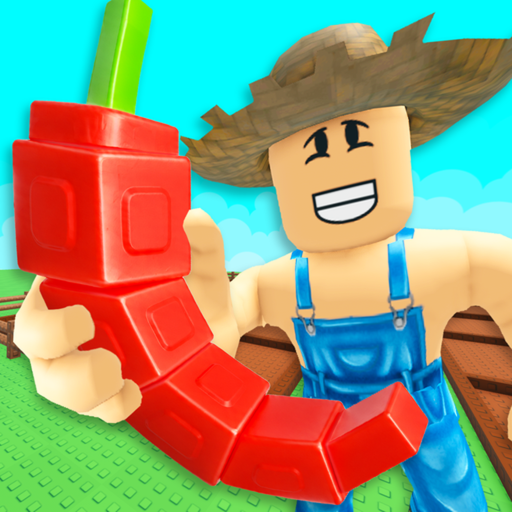
Grow a Garden 2 tells you to buy seeds when the shop restocks, plant them on your farm, harvest, and sell for sheckles. You can make a guild to compete for exclusive weekly rewards. The page warns that stealing starts at night. It also says the garden grows while you are offline, so a logout still advances the farm. Those four ideas — shop, sheckles, guild, and night — are the whole official plan.
Reader outcome
Plant and sell one crop for sheckles, note whether it is night, and only then read a code reward against that farm.
- Genre
- Tycoon
- Active code rows
- 2
- Creator
- Strawberreh Squad
Player decisions and reward planning for Grow a Garden 2
Buy seeds when they restock, grow them online or offline, sell them for sheckles, join a guild, and watch for stealing at night.
This is not the original Grow a Garden page. Brown-plot wording and the older harvest how-to belong to the first place. Here the currency the description names is sheckles, the social system is a guild with weekly rewards, and the risk is other players stealing at night. Offline growth means you can leave and still return to plants.
Do one buy, plant, harvest, and sell before you redeem a code. If it is night, the stealing warning is the reason to look at the farm before you walk away. The page does not give a restock timer, a guild score, or a code button, so this guide does not invent them.
What this guidance is based on
Source review · No in-game test
Reviewed against the current official Roblox description. Independent menu steps are named only in the redemption block. No in-game redemption was performed.
Before spending Grow a Garden 2 rewards
Sell one harvest for sheckles so you know what the currency looks like. Note whether it is night. Then redeem a code and see whether the result is a seed, a crop, or something else. Do not plan a guild week around a reward you have not seen.
Core Priorities & Essentials
- Seeds come from the shop when it restocks.
- Sheckles are the sale currency.
- Guilds compete for weekly rewards.
- Stealing starts at night, and growth continues offline.
Critical Mistakes to Avoid
- ✕Using the original garden's rules on this sequel.
- ✕Leaving crops unattended at night after the stealing warning.
- ✕Inventing a restock clock the page does not print.
Plan your next session
- Step 1:Buy seeds at a restock and plant them.
- Step 2:Harvest and sell for sheckles, and let offline time keep the garden growing.
- Step 3:Join or make a guild if you want the weekly rewards, and protect the farm at night.
Frequently Asked Questions about Grow a Garden 2
How do you earn sheckles?▼
Buy seeds when the shop restocks, plant them, harvest, and sell. The page says the garden also grows while you are offline.
What happens at night?▼
The official page says stealing starts at night. Guilds are how you compete for exclusive weekly rewards.
RBXCodes Editorial Desk
PublisherSource review & player-guide editing
Review scope: RBXCodes checks named source URLs, reward text, lifecycle status, and game-specific guidance for Grow a Garden 2. A source check does not prove that a code redeems.
Source review: We record the named public source and its last check date. Third-party sightings stay labeled Source-listed · Check in game.
Verification boundary: Only an official source or an explicitly recorded in-game result receives a stronger evidence label.
Account safety: We never ask for passwords, cookies, downloads, or payment. Redeem codes only inside Roblox.
Corrections: Found an expired code, incorrect reward, or missing source? Contact the editorial desk at rbxcodehub@gmail.com.
Code evidence, not a promise
Check the reward before you plan around it
RBXCodes keeps the full code table separate so the status, reward, source, and expired history remain easy to scan. An “active” row means the source still lists it at the recorded check time; only a successful redemption inside the game proves it works for your account and server.
REMEMBERTODRINKWATER
Common Watering Can
Source checked Nov 4, 2026
WATERYOPLANTS
10 Common Watering Cans
Source checked Nov 4, 2026