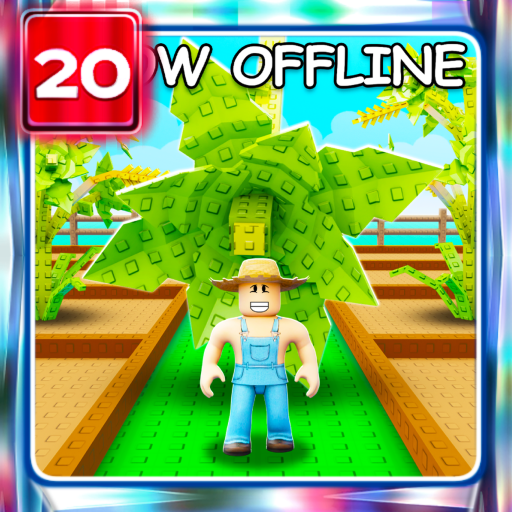
What this page helps you decide
Start the next session with a plan
The Garden Game's official description gives a concrete loop: buy seeds when the shop restocks, equip a seed, click brown plots on your farm to plant, wait for growth, then harvest. It also says the garden grows while you are offline. It does not document mutation odds, sprinkler tiers, fertilizer grades, greenhouse pests or a fixed sheckle target. Confirm you are on place 126884695634066 by The Garden Game before following a similarly named farming guide.
Reader outcome
Complete one plant-and-harvest cycle and inspect a reward before following mutation or sprinkler advice.
- Genre
- Tycoon
- Active code rows
- 2
- Creator
- The Garden Game
Player decisions and reward planning for Grow a Garden
A seed-to-harvest garden with shop restocks, brown planting plots and advertised offline growth.
Restocking and growth are separate events in that description. On a short visit, check whether planted plots are ready, harvest, then inspect the shop. Before leaving, plant what you can so the advertised offline growth has something to act on. This is an ordering of the published loop, not a measured fastest route.
Earlier versions of this guide stated mutation percentages, weather names, sprinkler ranges and crop lists that the current official description does not support. We removed those claims. If the live game shows extra systems, read the in-game text; do not import a Grow a Garden 2 or unsourced wiki route.
What this guidance is based on
Source review · No in-game test
Corrected the earlier guide by removing unsupported mutation odds, weather names, sprinkler tiers, fertilizer grades and a 50,000 sheckle target. The planting loop and offline growth are supported by the developer description. Menu steps come from the named independent guide. No crop-timing or redemption test was performed.
Before spending Grow a Garden rewards
Read the current reward line before planning a farm around it. Independent listings have described cosmetics, seed packs and generic rewards; those labels are not proof of fertilizer tiers or guaranteed moisture. Redeem one relevant code, then inspect the item or currency that actually arrived.
Core Priorities & Essentials
- Follow the official equip-and-click-brown-plot planting steps.
- Plant before logging off if you want to use the advertised offline growth.
- Inspect the current shop instead of assuming a fixed restock interval.
- Check the creator and place ID so you are not reading a different garden game.
Critical Mistakes to Avoid
- ✕Following unsourced mutation percentages, sprinkler tiers or claimed water-timer bonuses.
- ✕Mixing this experience with Grow a Garden 2 (different creator and place ID).
- ✕Saving a code seed for a fertilizer or sprinkler setup that this description does not document.
Plan your next session
- Step 1:Equip a seed, plant it on a brown plot, wait, harvest, then check the shop restock.
- Step 2:Plant before logging off if you want to use the advertised offline growth.
- Step 3:Open Settings and look for Redeem Codes only after you know which reward you intend to use.
Frequently Asked Questions about Grow a Garden
Does Grow a Garden keep growing while I am offline?▼
Yes, offline garden growth is explicitly advertised in the official description reviewed September 20, 2026. That description does not specify exact growth times or a maximum offline duration.
Where is the code menu?▼
RoCodes places Redeem Codes in Settings, opened from the gear at the top left, with Claim as the submit control. We reviewed that illustrated path on September 20, 2026 and have not tested the current interface ourselves.
Are Golden/Rainbow mutation odds, sprinkler tiers and a 40% water bonus confirmed?▼
No supporting evidence was recorded for those earlier claims. We removed them from this guidance on September 20, 2026. Read the current in-game text if those systems appear in your session.
RBXCodes Editorial Desk
PublisherSource review & player-guide editing
Review scope: RBXCodes checks named source URLs, reward text, lifecycle status, and game-specific guidance for Grow a Garden. A source check does not prove that a code redeems.
Source review: We record the named public source and its last check date. Third-party sightings stay labeled Source-listed · Check in game.
Verification boundary: Only an official source or an explicitly recorded in-game result receives a stronger evidence label.
Account safety: We never ask for passwords, cookies, downloads, or payment. Redeem codes only inside Roblox.
Corrections: Found an expired code, incorrect reward, or missing source? Contact the editorial desk at rbxcodehub@gmail.com.
Editorial playbook
Grow a Garden Profit Guide - Seeds, Crops, Pets, Codes & Values
Grow a Garden guide for seed restocks, crop profit, pets, value checks, code rewards, and safer upgrade timing during events.
Step 1
Build a repeatable profit loop
The best early route is not the rarest item; it is the loop that reliably funds your next useful upgrade. Plan around restocks, harvest timing, and one clear spending goal.
- Buy seeds that improve your current farm instead of emptying coins on every shop cycle.
- Keep one upgrade target per session: crop income, pet support, space, or event rewards.
- Use values before trading limited crops or pets.
Step 2
Pets, restocks, and limited demand
Demand changes quickly when pets, weather, or event crops appear. Slow down before overpaying for a limited item just because chat is moving fast.
- Check whether a pet helps your active crop loop before trading for it.
- Watch restock timing before spending premium currency.
- Compare guide/wiki/value context when a new event changes profit routes.
Step 3
Codes and event routine
Codes are most useful before farming blocks and event windows. Check status first, then plan boosts around uninterrupted play.
- Open the codes page before long harvest sessions.
- Recheck after new crops, pets, weather events, and milestones.
- Report failures when a source-listed code stops working.
Grow a Garden profit checklist
Before spending
Connect seed restocks, crop profit, and upgrades before buying everything.
- Check codes before long farming or event sessions.
- Buy seeds that support your current route, not every new option.
- Use value context when pets, crops, or limited rewards change demand.
What you should see
A good farm session should move one upgrade goal forward.
- Plant, harvest, and sell toward a clear next upgrade.
- A new crop or pet should improve profit or demand enough to justify the cost.
- Event restocks should change your route only when the reward is useful.
Avoid this
New players waste currency when they chase every restock.
- Do not spend everything before checking whether the item improves profit.
- Do not trade limited rewards without checking value context.
- Do not keep refreshing randomly when event signals can guide rechecks.
Code evidence, not a promise
Check the reward before you plan around it
RBXCodes keeps the full code table separate so the status, reward, source, and expired history remain easy to scan. An “active” row means the source still lists it at the recorded check time; only a successful redemption inside the game proves it works for your account and server.
BEANORLEAVE10
Iconic Cosmetic
Source checked Sep 19, 2026
LUNARGLOW10
Exotic Bug Egg, 3 Basic Seed Packs
Source checked Sep 19, 2026
Demand context
Before you trade or spend in Grow a Garden
Manual Grow a Garden value context for crop demand, event rewards, garden progression, and W/F/L-style checks before spending boosts or trading rare items.
Primary value driver
Crop utility
Grow a Garden value is strongest when an item helps current farming routes, limited event goals, or progression bottlenecks.
Risk signal
Supply resets
Shop refreshes and event rotations can turn a scarce item into common supply, so avoid judging value from one short window.
Best use
Boost timing
Use value context before spending boosts, premium currency, or long farming sessions on an item that may not stay in demand.
Player demand
High
The game has enough active-player and code interest for value content, especially around event changes.
- Check whether demand is tied to a current event or a permanent farming route.
- Avoid trading rare event rewards for common crops just because the bundle is larger.
- Use codes before spending boosts so the final decision reflects free reward supply.
- Do not chase a crop only because it is trending on update day.
- Recheck supply after shop, weather, or event changes.
Demand scores are editorial context from a dated snapshot, not a guaranteed item price or promise that another player will accept a trade.
Reference snapshot
Grow a Garden Wiki - Seeds, Crops, Pets, Values, Codes & Events
Grow a Garden wiki for seeds, crops, pets, profit routes, values, code checks, and event reward planning.
- Genre
- Tycoon
- Creator
- The Garden Game
- Active players
- 33,360
- Visits
- 35,919,430,344
- Favorites
- 11,410,033
- Max players
- 4
Seeds, Crops, Pets, and Profit
Grow a Garden is easier to plan when seed restocks, crop profit, pet demand, and values are connected in one route.
- Plan purchases around the crop loop that funds your next upgrade.
- Use values before trading pets or limited crops.
- Recheck guide context when events add new demand.
Codes and Event Windows
Reward windows matter most before long farming sessions or restocks. Check source status before using boosts.
- Open codes before harvesting/farming blocks.
- Watch event signals for crop, pet, and weather changes.
- Report stale rows when rewards stop redeeming.
Grow a Garden beginner snapshot
Core loop
Buy useful seeds, grow crops, sell toward one upgrade, and use value context before trading.
- Plant around a clear next upgrade goal.
- Watch restocks without buying every new option.
- Use values when pets, crops, or limited rewards change demand.
Check first
Codes, restocks, and event rewards are most useful before a long farming session.
- Open codes before farming or event sessions.
- Use the guide for profit routing.
- Recheck value context when new pets or crops appear.
Watch out
New players waste currency when they chase every restock.
- Do not spend everything before checking profit impact.
- Do not trade limited rewards without value context.
- Do not refresh randomly when event signals can guide rechecks.
Player questions
Quick answers for Grow a Garden
What is the fastest Grow a Garden beginner route?
Pick one crop/income loop, use codes before a real farming session, and spend upgrades only when they improve that loop.
Should I trade pets early?
Only after checking demand and value context; early overtrades can slow your farm more than they help.
When should I check codes?
Before long farming sessions, restocks, and event windows.