What this page helps you decide
Start the next session with a plan
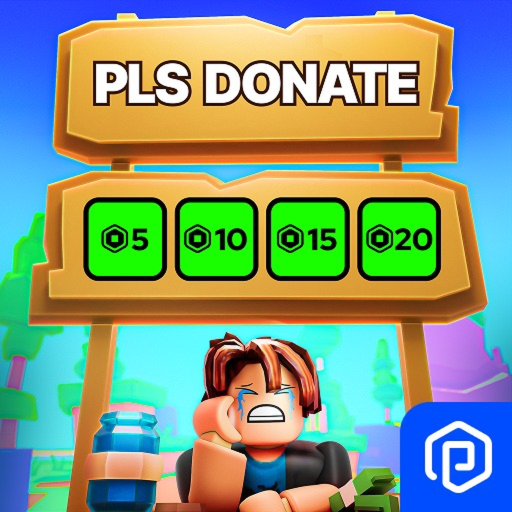
PLS DONATE is where you raise Robux or donate Robux to other players. The how-to is to claim a booth, customize the booth text, receive Robux, or donate Robux. A Roblox Plus subscription is required to donate. Transfers are limited to 500 Robux a day and 1,000 a month, and turning on 2-Step Verification increases that limit by 10x. Players under 18 may need parental approval and may need to rejoin, and the page says a transfer may not process until you rejoin because of Roblox's API. Giftbux stays separate from Robux, because the official description only names Robux transfers and does not describe a code as a new Robux payout.
Reader outcome
Claim a booth, rejoin if a transfer does not appear, and treat a code as something other than a new Robux payout.
- Genre
- Social
- Active code rows
- 6
- Creator
- Quataun
Choose your next task
Practical next steps in PLS DONATE
Choose the problem you need to solve. These are source-reviewed steps, not an in-game test or a guaranteed outcome.
1. Distinguish Giftbux currency from direct Robux payouts
Use this when redeeming PLS DONATE codes to avoid expecting direct account Robux additions.
- Read the reward label carefully: codes award Giftbux currency or decorative booth skins, never direct Robux.
- Click the blue Gift icon on the left side of the screen to open the Codes redemption interface.
- Type the code and confirm that your in-game Giftbux balance increases in the bottom corner display.
- Check before moving on
- Verify that your Giftbux currency updates or the booth skin is unlocked in the customization menu.
- If it does not match
- Do not expect pending Robux on your Roblox account from promo codes; Robux only comes from player donations.
2. Claim and customize a donation booth before expecting transfers
Use this when setting up your stand in a new server before other players can donate.
- Walk up to an unclaimed stand marked Unclaimed and hold the interact key (E) to claim ownership.
- Ensure you have created public gamepasses or shirt assets on Roblox so donation buttons populate automatically.
- Apply your unlocked code booth skins by holding E on your claimed booth and selecting the Customize tab.
- Check before moving on
- Ensure your booth displays donation buttons with clear Robux prices and custom booth styling.
- If it does not match
- If buttons do not populate, check that your created passes are marked for sale in your Roblox creation dashboard.
3. Handle delayed donation processing and rejoin verification
Use this when a player donates to your booth but the Robux is not immediately reflected.
- Check the in-game chat log to confirm that the donation transaction event was broadcast successfully.
- Note that Roblox takes several days to process pending Robux from group or pass sales via the official pending sales tab.
- Rejoin the experience or wait a few minutes if in-game raised counters do not immediately increment.
- Check before moving on
- Inspect your pending Robux on the official Roblox transactions page rather than expecting instant in-game balance changes.
- If it does not match
- If a donation fails to process due to Roblox API latency, check your Roblox pending sales history before retrying.
Sources and review scope
Review dates record when the pages were read. The checks above are for you to perform; they are not results observed by our editors.
- PLS DONATE Wiki: Codes and Booths (opens in a new tab)
Community reference · Read · No in-game test
The wiki documents gift box redemption on the left side of the screen for Giftbux and booth designs, distinguishing Giftbux from Robux transfers.
- RoCodes: PLS DONATE code steps (opens in a new tab)
Independent editorial reference · Read · No in-game test
RoCodes details locating the gift box icon, entering promo strings, and applying unlocked custom booth skins at your claimed stand.
RBXCodes Editorial Desk
PublisherSource review & player-guide editing
Review scope: RBXCodes checks named source URLs, reward text, lifecycle status, and game-specific guidance for PLS DONATE. A source check does not prove that a code redeems.
Source review: We record the named public source and its last check date. Third-party sightings stay labeled Source-listed · Check in game.
Verification boundary: Only an official source or an explicitly recorded in-game result receives a stronger evidence label.
Account safety: We never ask for passwords, cookies, downloads, or payment. Redeem codes only inside Roblox.
Corrections: Found an expired code, incorrect reward, or missing source? Contact the editorial desk at rbxcodehub@gmail.com.
Code evidence, not a promise
Check the reward before you plan around it
RBXCodes keeps the full code table separate so the status, reward, source, and expired history remain easy to scan. An “active” row means the source still lists it at the recorded check time; only a successful redemption inside the game proves it works for your account and server.
Eagle_15
15 Giftbux
Source checked Nov 10, 2026
HAUNTED
Giftbux
Source checked Nov 10, 2026
lazarbeam
LazarBeam Booth
Source checked Nov 10, 2026
Plsdonate2
20 Giftbux
Source checked Nov 10, 2026